The Linkable Asset After the Guide Is a Visual Job, Not Another Outreach Email
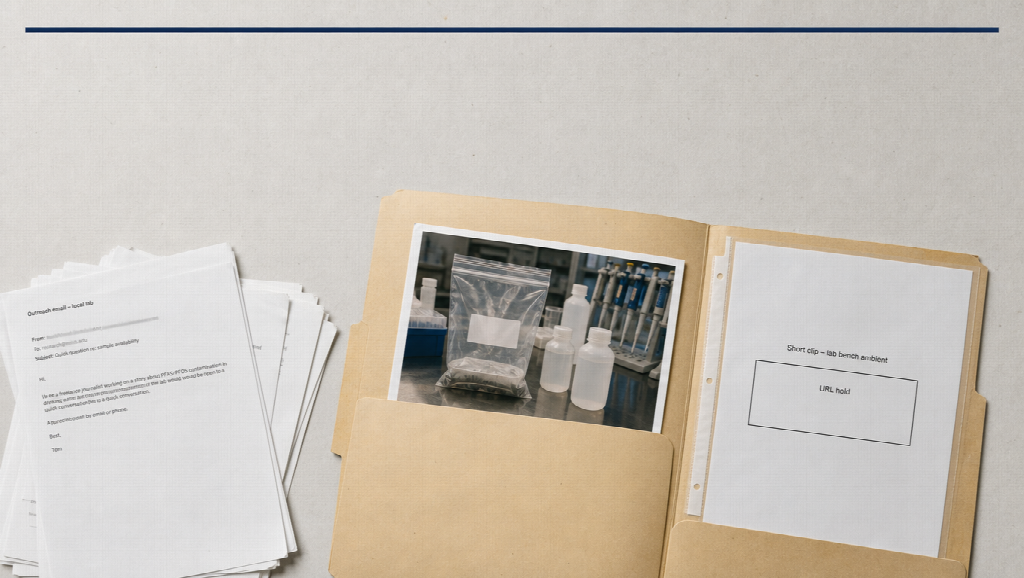
Link-building roundups keep repeating a true point: search engines still treat relevant backlinks as a trust signal, and bulk placements do not replace a few editorial citations. The agencies that last tend to earn those citations with something a publisher actually wants — a guide, a dataset, a visual that makes a hard idea easier to quote.
What those articles under-specify is the asset, not the inbox. Infographics, charts, and original research still work. A growing share of publishers also want a short clip they can embed: the method behind the table, the object the review describes, the three-step process the resource page already listed. That clip is not a second guest post. It is production.
This is not a pitch for a platform, and it is not a list of agencies. It is how to think about two visual jobs that support the same authority work those outreach teams already sell.
1. Relevance still beats volume — including in video
A backlink from a site your readers already use outweighs a pile of unrelated mentions. The same rule applies to a clip. A generic “cinematic office” loop does not give a niche publisher anything to cite. A 20-second sequence that still looks like your lab bench, your dashboard, or your survey chart does.
If the stills in the folder disagree about the product or the room, you will generate something prettier and less citable. Identity drift is an SEO problem dressed as a lighting problem: the page they would have linked no longer matches the picture.
2. Create the thing other sites need to reference
Agencies look for gaps, then publish guides, case studies, and resource pages. Visual follow-through is the same gap, one layer down.
Useful, cite-able motion usually starts from work you already did:
- A methods note that never became a walkthrough
- Packshots or UI stills that sit unused under a comparison table
- A public page or PDF whose structure is already the script
Publishers link when the asset saves them an explanation. They rarely link a talking avatar that restates the H1.
Keep claims human. Generated “customers” and invented statistics are a trust tax, the same way a PBN is a trust tax. Original research stays in the table. The clip shows the process or the object.
3. Two production lanes, depending on the source of truth
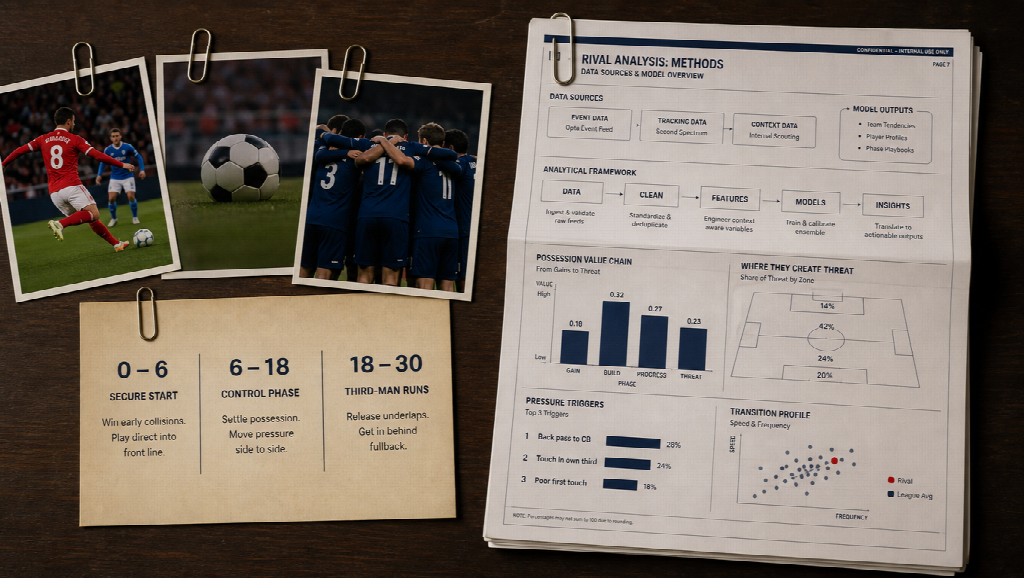
Treat pictures and documents as different jobs. Mixing them in one “make it viral” prompt is how you get a second office and a headline the legal team did not approve.
When the source of truth is a kit you photographed — the device, the sample, the same room — you want a timed, continuous beat, not five eight-second orphans. Seedance 2.5 is a multimodal video model for coherent clips of about 4–30 seconds from text plus image, video, and audio references, with second-range direction. On hosted generators, visible export is typically in the 1080p class. Confirm the panel in front of you. Do not write native 4K into a brief from a headline.
Write intervals the way you would write a figure caption: “0–6s the same bench from the still; 6–18s the sample, label readable; 18–24s three-quarter, same light; 24–30s hold for the methods URL.” If second eighteen grows a new logo, fix the folder. That is the clip a tutorial site can embed without looking careless.
When the source of truth is a page or report you already published, re-filming it as a presenter is optional. Folding that structure into one direction is the outreach-native job: three steps, the chart hierarchy, the language you already approved. Wan 3.0 is an omni-reference model workflow for that heavier packet — stills, clips, audio, and context from a document or webpage. Treat extra duration and context types as guidance until the live generator confirms them. Public catalogs may not list every name as an official spec sheet; do not pretend otherwise.
Do not rank those two models as two agencies. One shoots a kit-locked beat. The other eats a mixed, page-led brief. Outreach still happens in email. Generation only supplies the file you attach.
4. Make the visual easy to steal (with a credit)
Infographics earn links when they are clear and when the source is obvious. Clips work the same way:
- Leave a stable last second for a URL or a “full write-up” line
- Match aspect to where it will live: 16:9 for an article embed, 9:16 only if the publisher’s template is vertical
- Caption what you meant; mute autoplay only if the words are on screen
- Offer a still + a short file in the pitch, not a 12-minute film
Broken-link and resource-page outreach gets easier when the replacement is obviously better than the dead PDF. A 20-second honest process beat is often that replacement. A stock handshake is not.
5. Stay inside practices you could explain in a report
Ethical link building is slow on purpose. The visual layer should be equally boring: rights you own, music you licensed, faces that are real when the claim is a testimonial, reports that show where the clip was used.
If a take fails, change one variable — a tighter still, a negative (“no extra furniture”), a shorter interval. Burning credits on a new aesthetic every retry is the visual version of buying bulk links.
Bottom line
Authority still comes from relevant citations, not from a higher count. The best outreach programs already know that. The missing production habit is to give publishers a citable visual that matches the guide: a kit-locked 15–30 second proof when the object is the evidence, or a page-led explainer when the document is the evidence.
Seedance 2.5 and Wan 3.0 are two model lanes for those two sources of truth. They do not replace a careful pitch, a relevant site, or a piece of research worth citing. They only stop the follow-up email from attaching a clip that looks like everyone else’s office.