Before You Replace That Old Device, Check What Is Actually Wrong
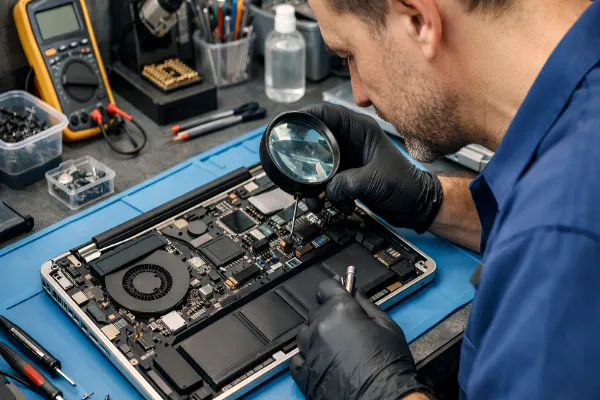
A slow start-up, sudden shutdown or cracked display can make an ageing device seem ready for the scrap heap. In many cases, though, the problem may be more specific than it first appears. A failing storage drive, damaged charging port, software fault or worn battery can affect everyday performance without meaning the entire machine needs replacing.
That is why getting the fault identified properly can make a big difference. For households, students and small businesses across Melbourne, computer repairs Melbourne can be a practical option when a familiar device starts behaving differently.
What should you check before arranging a repair?
Before booking an appointment, take a moment to note what has changed.
Is the device taking longer to start? Does it shut down without warning? Are files taking ages to open? Perhaps the issue appeared after a fall, liquid spill, software update or power problem.
A few simple observations can help a technician narrow down the cause.
It is also worth checking whether important files are backed up. When the device still works normally enough to access documents and photos, copy anything valuable to a separate storage location before the fault becomes worse.
Avoid repeatedly switching on a machine that is making unusual noises or showing signs of storage failure. Continued use can sometimes make data recovery more difficult.
When is a repair more sensible than replacement?
There is no universal answer. The decision depends on the age of the device, the nature of the fault and the cost of putting it right.
A relatively small issue may not justify replacing an otherwise useful machine. A faulty charging connection, damaged display or worn battery can sometimes be addressed without changing the entire setup.
The same applies to performance. Sluggish operation may come from limited storage space, unnecessary background processes, overheating or a component beginning to fail. Replacing the whole device without identifying the cause could mean spending money without addressing the actual problem.
A proper assessment gives you clearer choices.
Why do laptops suddenly become slow or unreliable?
Performance rarely changes for just one reason.
Common causes can include:
- Limited available storage
- Excessive background applications
- Overheating
- Failing storage hardware
- Outdated software
- Damaged system files
- Battery or power-related faults
- Accidental physical damage
Portable devices face another challenge: they travel. A bag dropped onto the floor, a drink spilled nearby or pressure placed on the display can create faults that are not immediately obvious.
For people comparing laptop repairs in Melbourne, the useful question is not simply how quickly a technician can fix the visible symptom. It is whether the underlying cause has been identified properly.
What happens during a proper diagnostic assessment?
A good assessment should start with the symptoms rather than assumptions.
A technician may check the physical condition, power behaviour, storage health, system performance and other relevant components. The process can also reveal that several symptoms are connected.
For example, repeated freezing may look like a software problem when the underlying cause is failing hardware. Similarly, unexpected shutdowns may point towards overheating or a power fault rather than a general performance issue.
The aim is to understand what has happened before recommending the next step.
This approach is particularly useful when the device contains important work files, family photographs or business records. A repair should take the value of that information into account rather than treating the hardware in isolation.
What if the device contains important files?
Data should be considered before any major repair work begins.
When a machine still starts, create a backup where possible. When it does not start, avoid experimenting with repeated recovery attempts unless you understand the risks involved.
Professional data recovery may be appropriate when files are inaccessible because of hardware failure, accidental deletion or other storage problems. The likely outcome depends on the condition of the storage device, so an honest assessment is important.
V4 IT Services can also be a useful option for people looking for broader IT solutions alongside computer repairs in Melbourne, particularly when a fault involves both hardware and everyday technology use.
How can you choose a repair service without making the process harder?
Price matters, but it should not be the only consideration.
Look for a service that explains the problem clearly, provides a sensible repair pathway and tells you when replacement may make more financial sense.
It is also worth asking:
- What is included in the assessment?
- Will the repair be explained before work begins?
- What happens to personal files during the process?
- Is there a clear timeframe?
- Are additional faults discussed before extra work is carried out?
Clear answers can make the experience much easier, especially when the problem has appeared unexpectedly.
A sensible next step when technology stops cooperating
A device that suddenly becomes unreliable does not always need to be replaced. Finding the actual cause can reveal a simpler and more practical option.
V4 IT Services provides professional IT solutions for Melbourne users who need assistance with faulty devices, performance issues, data concerns and related technology problems. When something goes wrong, start with a proper assessment rather than making an expensive decision based on symptoms alone.
Frequently Asked Questions
How do I know if my device needs professional attention?
Persistent crashes, unusual noises, overheating, charging faults, repeated error messages or inaccessible files are all reasons to arrange an assessment. A technician can determine whether the issue is minor or requires more detailed work.
Is it worth repairing an older laptop?
Age alone does not determine whether a repair makes sense. The condition of the device, the fault involved and the expected cost should all be considered. An assessment can help you compare repair and replacement realistically.
Can files be recovered from a device that will not start?
In some cases, yes. The possibility depends on the condition of the storage hardware and the nature of the failure. Avoid repeatedly attempting repairs yourself when the files are particularly important.
Should I back up my files before a repair?
Yes, whenever the device is still functioning and the files can be copied safely. A recent backup can reduce the risk of losing important information during a hardware or software repair.