Simple Ways to Keep Your Online Accounts More Secure
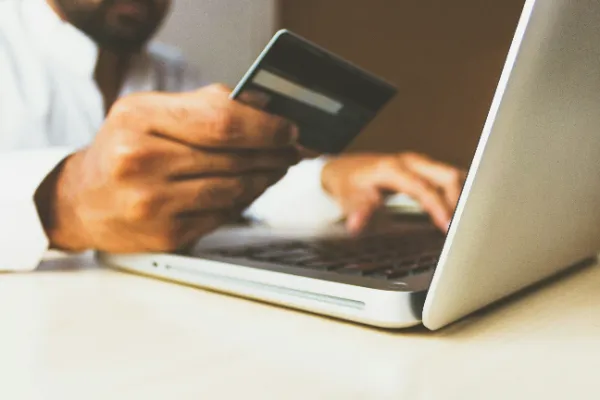
Online accounts have become part of everyday life. Shopping, entertainment, banking, social media, and gaming services all require users to store some form of personal information online. This makes good account security increasingly important. Whether someone is accessing an email account, an online store, or an Oxibet Casino login page, a few simple security habits can significantly reduce the risk of unauthorized access.
Start With a Strong, Unique Password
One of the easiest ways to improve account security is also one of the most frequently ignored: using a different password for every important account.
Reusing the same password across several websites creates unnecessary risk. If one service experiences a data breach and login credentials are exposed, attackers may try those same details on other websites.
A strong password should be difficult to guess and should not contain obvious personal information such as a birthday, name, or phone number.
Long passwords are generally preferable to short ones. A password manager can also help generate and securely store unique credentials, meaning users do not have to memorize dozens of complicated passwords.
Enable Two-Factor Authentication
A password does not always have to be the only barrier protecting an account.
Two-factor authentication, often shortened to 2FA, adds another verification step. Depending on the service, this might involve an authentication app, security key, or one-time verification code.
This means that even if someone obtains the password, they may still be unable to access the account without the second verification method.
For accounts containing payment details or other sensitive information, enabling additional authentication options whenever they are available is particularly useful.
Always Check Where You Are Logging In
Phishing remains one of the most common ways criminals attempt to obtain login credentials.
A fake website can be designed to look almost identical to a legitimate login page. Users may reach it through a suspicious email, text message, advertisement, or social media post and enter their details without realizing they are giving them to somebody else.
Before entering a username and password, check the website address carefully.
Small spelling changes can be easy to overlook. Instead of following an unfamiliar link, it is often safer to navigate to a service through a trusted bookmark or by entering its known address directly.
The same caution applies when receiving unexpected messages asking you to verify an account urgently. Creating a sense of urgency is a common tactic used to encourage people to act before checking whether a message is genuine.
Be Careful on Shared Devices
Logging into personal accounts from a shared computer introduces additional risks.
A browser may save passwords, sessions may remain active after the user leaves, or another person may have access to the device later.
Whenever possible, sensitive accounts should be accessed from a trusted personal device.
If using a shared device is unavoidable, avoid saving login credentials and make sure to sign out completely when finished. Simply closing a browser tab may not end an active session.
Users should also be cautious when entering sensitive information while connected to unfamiliar public networks.
Keep Your Devices Updated
Account security does not stop at the login screen.
The phone, tablet, or computer used to access an account also needs protection. Operating-system and browser updates frequently contain security fixes designed to address newly discovered vulnerabilities.
Ignoring updates for long periods can therefore leave devices exposed to risks that have already been identified and corrected.
Installing applications from trusted sources, using screen locks, and keeping browsers updated are simple measures that contribute to safer online activity.
Learn to Recognize Unusual Account Activity
Many online services now provide notifications when an account is accessed from a new device or location.
These alerts should not automatically be ignored.
An unfamiliar login notification, unexpected password-reset email, or change to account information can indicate that someone else is attempting to gain access.
If something appears suspicious, change the password through the official website rather than through a link contained in the notification. It is also worth reviewing active sessions and signing out devices you do not recognize when the service provides that option.
Protect Payment Information
Accounts connected to payments deserve additional attention.
Before entering card or banking information, users should make sure they are dealing with the intended website and understand how the service handles payments.
Avoid sending card numbers, passwords, or verification codes through ordinary messages or email. Legitimate security procedures should not require users to casually disclose their full login credentials to another person.
It is also useful to review transaction histories regularly. Identifying an unfamiliar transaction quickly can make it easier to contact the relevant financial institution and take appropriate action.
Security Matters for Entertainment Accounts Too
People often apply their strongest security habits to banking and email while treating entertainment accounts as less important.
That can be a mistake.
Gaming and entertainment accounts may contain personal details, payment methods, transaction histories, or balances. They therefore deserve many of the same precautions used for other online services.
For online casino accounts specifically, security should be combined with responsible gambling habits. Users should understand the rules of the games they choose, set appropriate spending limits, and remember that games involving chance should be treated as entertainment rather than a reliable way of earning money.
Organizations such as GamCare provide information, support, and resources related to safer gambling.
Small Habits Make a Big Difference
Online security does not require users to become cybersecurity experts.
Most people can significantly improve their protection by following a few consistent habits: use unique passwords, enable additional authentication, check website addresses, keep devices updated, and pay attention to unusual account activity.
Convenience often encourages people to move quickly online, particularly when using familiar services. Taking a few extra seconds before entering a password or following a link can prevent much larger problems later.
As more parts of everyday life move online, these habits become increasingly valuable. The goal is not to make digital services difficult to use, but to make sure convenience does not come at the expense of security.