How to Get Better Results From AI Image Generators Without Wasting Credits
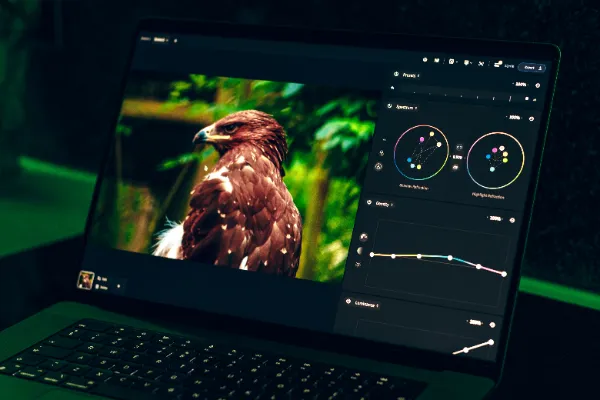
AI image generators have become one of the most popular corners of the AI boom. People use them for social media graphics, concept art, product mock-ups, avatars and plenty of personal projects. Yet the first results are often disappointing, and many users respond the same way: they hit the generate button again and again until their credits run out.
There is a better approach. A handful of habits work across almost every tool, from mainstream design apps to specialist platforms, and they save both time and money.
Start with a short, clear prompt
The instinct is to pack every detail into the first prompt. It rarely helps. Google’s prompt guide for its Imagen models recommends establishing the core idea first, then refining and expanding it until the image matches what you had in mind. Iteration, it says, is important.
Specialist platforms say much the same thing, often more bluntly. Adult AI services are a useful example, because their help pages tend to be very specific about what works. A review of ai porn generators that draws on each service’s own FAQ and help centre gathers several of these tips in one place. It notes that CreatePorn’s FAQ warns that strong, long prompts “overcook” images, and recommends keeping the prompt strength setting under 1.5.
Prompt strength, where a tool offers it, controls how strictly the model follows your words. Turn it up too far and images can look harsh or distorted. A moderate setting usually gives the model enough room to produce something natural.
Add one detail at a time
Once the basic image works, build on it in small steps. Google’s guide breaks a prompt into a few simple building blocks: the subject, the context or background, and the style. It then shows how adding details such as lighting, camera position or lens type changes the result.
Changing one thing at a time makes it easy to see what each word is doing. If you change five things at once and the image gets worse, you will not know which change caused it. Keep a note of prompts that work well so you can reuse them.
Know whether your tool wants prompts or tags
Not every generator works the same way. Some are prompt-based: you describe what you want in your own words, then refine it. Others are tag-based: you choose a style and tick options from menus, with no writing involved. The review describes Promptchan as the prompt-and-edit kind and CreatePorn as the tag kind.
The difference matters for how you improve results. On a prompt-based tool, better wording and small refinements make the biggest difference. On a tag-based tool, the gains come from choosing fewer, better-matched options rather than ticking everything that sounds appealing. Spending ten minutes with a tool’s help pages before you start usually pays for itself in saved credits.
Edit instead of starting again
Many tools now let you adjust an image you already like rather than generating a brand-new one. This is often called editing or inpainting, and it is one of the biggest credit savers available.
According to the same review, Promptchan’s Tweak tool lets users change details such as the outfit, pose or background of an existing image without starting over. Mainstream design tools offer similar features under different names. If an image is ninety per cent right, fix the last ten per cent rather than gambling on a fresh roll.
Change the shape of the image
Aspect ratio affects more than framing. The shape of the canvas influences how the model arranges everything inside it. Wide formats suit landscapes and banners, while tall formats suit portraits and phone wallpapers.
It can also fix strange proportions. The review reports that CreatePorn suggests switching to a square 1:1 format when figures come out looking odd. It is a simple change that is worth trying on any generator before rewriting the whole prompt.
Spend credits where they count
Most AI apps charge differently for different outputs. Text is usually cheap or unlimited, images cost credits, and video costs a great deal more. Knowing this changes how you use a plan.
The review notes, for example, that text chat on Candy AI is unlimited on any paid plan, so the sensible approach is to save tokens for pictures and voice. It also points out that monthly allowances often refresh on your billing date. Checking that date helps you plan larger projects for the start of a cycle rather than running out halfway through.
The same logic applies everywhere. Use free or unlimited features to plan and test ideas, then spend paid credits on the final versions you actually want.
Keep your account and your images secure
AI accounts often hold paid credits, saved prompts and private images, which makes them worth protecting. Use a strong, unique password and turn on two-factor authentication wherever it is offered. As security experts increasingly point out, modern app security goes beyond simple text-message codes, so an authenticator app or passkey is a stronger choice where available.
Be thoughtful about what you upload, too. Reputable generators increasingly ban uploads of real people’s photos and prohibit deepfakes in their terms, which protects both users and the people who might otherwise be depicted. It is a sensible standard to apply to any tool you use: create original images, and keep personal photos out of public generators.
Better results, fewer wasted credits
Good AI images rarely come from luck. They come from short prompts, small changes, smart editing and a little attention to how each tool spends your credits. Whatever kind of generator you use, those habits will get you closer to the image you want with fewer attempts.