Forgot the username of your old Instagram? How to track down an account you used to own
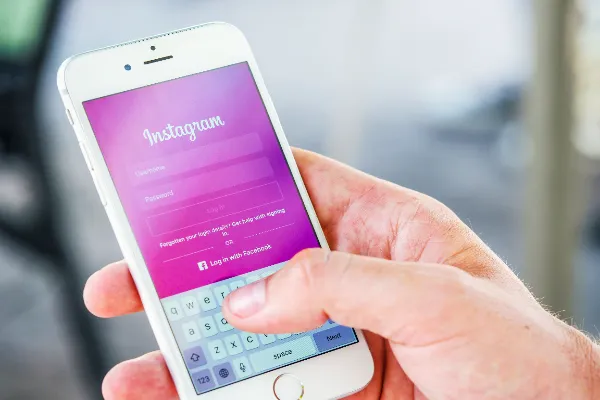
It happens more often than people admit. You made an Instagram account years ago, posted for a while, switched phones, changed email providers, and moved on. Now you want it back, maybe for the photos, maybe to delete it properly, maybe because someone mentioned it still shows up when they search your name. The problem is that you can’t remember the handle, the email, or the password.
The good news is that an old account usually leaves more traces than you’d expect. Work through the steps below in order, starting with the easiest. Most people get their answer within the first two or three.
Step 1: Check what you still have access to
Before searching for the account, search your own digital life for clues about it.
- Old email inboxes. Search every address you’ve ever used for messages from Instagram: sign-up confirmations, password resets, “new login” alerts. These emails usually include the username.
- Saved passwords. Check your browser’s saved logins and any password manager you’ve used. Look for entries for instagram.com, even if the password is long out of date.
- Old devices. An old phone or tablet in a drawer might still be logged in. Charge it and open the app before you do anything else.
- Linked accounts. If you ever connected Instagram to Facebook, look in Meta’s Accounts Center on your Facebook account. Linked Instagram profiles are listed there.
- Old phone numbers. If the account was tied to a number you still have, you can use it to reset the password even if you don’t remember the username.
If any of these turn up the handle, skip ahead to Step 5.
Step 2: Ask the people who followed you
Friends from that period are an underrated resource. Anyone who followed the old account can find it in their “Following” list in a few seconds, and it may also turn up in an old DM thread or a photo they tagged you in years ago.
A short message works: “Random question, do you still follow my old Instagram? I’ve forgotten what it was called.” It feels slightly awkward. It’s also the fastest search there is.
Step 3: Search inside Instagram
If nobody remembers, try Instagram’s own search.
- Search your full name, nicknames you used at the time, and combinations with your birth year or school.
- Remember that handles can be changed. The account may now have a different name than the one you remember, especially if you renamed it at some point.
- Look through the followers of close friends from that time. Old accounts often sit quietly among them, with a recognizable profile photo and nothing posted for years.
Search is fiddly, so give it ten minutes and then move on.
Step 4: Search by your old profile photo
Sometimes the one thing you clearly remember is the picture: a particular selfie, a holiday photo, a group shot from a festival. That’s useful, because a photo can be searched even when a name can’t.
If you still have that exact image, try a reverse image search with Google Lens first. It looks for copies of the same file, and it occasionally surfaces old public profiles.
If you don’t have the exact image but you do have other photos of yourself from around the same time, a face search is the better tool. People who want to find my instagram account by photo can use the Facial Recognition app, which matches your face against public profile photos and public web pages rather than looking for one specific file. It’s free to download on Android, with face searches on a paid in-app subscription.
Be realistic about the limits. Face search only works on what’s publicly visible, so it can’t see inside private accounts. An account that has been deleted, or that Instagram no longer shows publicly, won’t appear in any search. And if your appearance has changed a lot since then, use the photo that looks most like you did at the time.
Step 5: Recover it through Instagram
Once you know the username, go back to Instagram’s own tools. Nothing else can give you access.
- Use “Forgot password?” on the login screen. Enter the username you found, and Instagram will offer to send a reset link to the email or phone number on file.
- If you no longer control that email or phone, follow the prompts for help. For some accounts, Instagram offers extra identity checks, such as confirming details about the account or recording a short video selfie so it can compare you with photos on the profile.
- If you think the account was hacked, rather than simply forgotten, use Instagram’s dedicated hacked-account flow, which Meta runs at instagram.com/hacked.
Be patient. Identity checks can take a few days, and repeating the same request many times rarely speeds anything up.
If the account was deactivated or deleted
These are two different situations.
Deactivated accounts are hidden, not gone. Logging back in normally reactivates them, so if you can recover the login, the account and its posts usually come back.
Deleted accounts are a different story. Instagram gives a short grace period after a deletion request, roughly 30 days under its current policy, during which logging in cancels the deletion. After that, the account and its content are permanently removed, and no search tool or support request will bring them back.
If you can’t find your account anywhere and remember deleting it, that may be the answer.
What not to do
A forgotten account makes people vulnerable to a particular kind of scam.
- Don’t pay “account recovery services.” People who DM you offering to recover your Instagram for a fee are almost always scammers. Only Instagram can restore access.
- Don’t share login codes. Anyone asking for the six-digit code Instagram sent you is trying to take over an account, possibly yours.
- Don’t try to guess your way into accounts you aren’t sure are yours. If a profile looks like you but you can’t confirm it, it may be a stranger who looks similar, or an impersonator. In that case, report it.
Once you’re back in
When you’ve recovered the account, take five minutes to make sure it doesn’t drift away again:
- Update the email and phone number to ones you’ll keep.
- Turn on two-factor authentication.
- Save the username and password in a password manager.
- Decide whether you actually want the account public. If it’s full of photos from fifteen years ago, archiving or deleting old posts is perfectly reasonable.
Start with your old inboxes today. Most forgotten accounts are one search away from a username.