I Stopped Paying Someone to Edit My Videos for a Month. Here Is My Honest Log
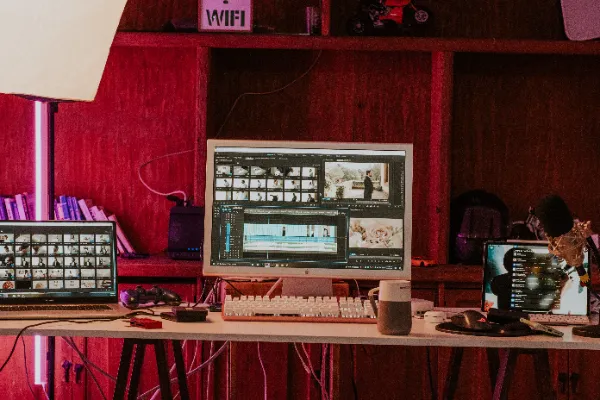
I run a small one-person design business. For two years, I paid a freelance editor to turn my raw clips into short videos for my website and social pages. She was good, but she was busy, and every video took about a week to come back. By the time a video went live, the idea behind it often felt old.
So in March I tried something. For four weeks, I edited every video myself. I kept notes each Friday on what worked, what didn’t, and how much time it took. This is that log, cleaned up a little so it makes sense to someone who isn’t me.
If you’re a freelancer or small business owner thinking about doing your own video work, I hope it saves you a few bad evenings.
Why I even tried this
Video was bringing me more client calls than anything else I posted. A 40-second clip of me walking through a logo project got more replies than three blog posts put together. That told me I needed more videos, not fewer.
The problem was cost and speed. At my editor’s rate, posting two videos a week would have eaten most of my marketing budget. And waiting a week for each one meant I couldn’t react to what people were asking about.
I’d also read a piece here on how to attract B2B clients as a freelancer, and one point stayed with me: show your process, often. That’s hard to do when every update costs money and takes a week.
So the goal for the month was simple. Post two short videos a week, keep each edit under an hour, and see if anything broke.
Week 1: Too many clips, not enough plan
I started the wrong way. I filmed everything. My desk, my sketches, my screen, my coffee. By Wednesday I had 63 clips on my phone and no idea what video they belonged to.
My first edit took almost three hours. Most of that time was spent scrubbing through footage looking for the one good take. The video itself was fine, but three hours for 50 seconds of content is not a plan you can keep.
What I wrote in my notes that Friday:
- Decide the one point of the video before filming anything
- Film three takes of each part, not thirty
- Name clips right away, or you will never find them again
The second video that week took 90 minutes, mostly because I followed those three notes. Still too slow, but better.
Week 2: Letting software do the boring part
By week two I knew where my time was going. It wasn’t the creative choices. It was the dull, repeat work: cutting dead air, trimming the start and end of each clip, adding captions, and fixing sound levels between shots.
A friend who runs a small online shop told me she does her product videos with the Renderforest ai video editor, so I tried it for both of that week’s videos. I uploaded my clips, and it did the rough cut for me. It removed the long pauses, lined the shots up, and added captions that I only had to fix in a few spots. Then I spent my time on the parts that need a human: picking the strongest opening shot, changing the order so the story made sense, and cutting one section that was accurate but boring.
The first video that week took 40 minutes from upload to export. The second took 35. That was the moment the whole experiment started to feel doable.
One honest note: the tool is fast, but it doesn’t know your client. It made a cut once that removed the exact moment I explained my pricing, because I paused before saying it. Always watch the full video once before you post. Software is a good first editor, not a final one.
Week 3: Captions, sound and the stuff nobody notices until it’s wrong
With editing time under control, week three was about quality. I went back through my first four videos with fresh eyes and found the same small problems in each one.
The captions were too long. Some lines had 12 or 13 words, which is too much to read on a phone in two seconds. I cut every caption line down to six or seven words.
The sound jumped. When I switched from talking at my desk to a screen recording, the volume changed. People notice that even if they can’t say why. I started recording my voice in one session and laying it over the clips, instead of using the sound from each clip.
The ending was weak. Every video ended with me saying “so yeah, that’s it.” I replaced that with one clear line about what to do next: book a call, see the full project, or send me a question.
None of these fixes took long. Together they made my videos look like someone had planned them, which, by week three, someone had.
Week 4: A simple routine I can actually keep
The last week was about turning all of this into a routine I could keep after the experiment ended. Here is where I landed:
- Monday: pick two ideas from client questions I got that week.
- Tuesday: film both videos in one 30-minute block, three takes per part.
- Wednesday: upload, let the software do the rough cut, then spend 20 to 30 minutes on story, captions and the ending.
- Thursday and Friday: post one video each day and answer every comment within a few hours.
Total time for two videos: around two and a half hours a week, including filming. My editor used to take a week per video. Now I can answer a question on Monday and post the reply on Thursday.
What the numbers looked like after a month
I’m a small business, so my numbers are small. But the change was clear.
In the month before the experiment, I posted three videos. In the test month, I posted eight. Views per video stayed about the same, which surprised me. I expected my own edits to perform worse than a pro’s work. They didn’t, maybe because they were more timely and answered things people had just asked.
The bigger change was in client calls. I booked five discovery calls that month, up from two the month before. Three of those people mentioned a specific video when they reached out.
I also saved most of what I’d been paying my editor. I still hire her for bigger projects, like a full case study video for a client. For the weekly short stuff, I do it myself now.
If you’re curious how this kind of steady content turns into income over time, this piece on how online businesses turn website traffic into predictable revenue explains the bigger picture well.
What I would tell someone starting this week
If you take one thing from my log, take this: the editing is not the hard part anymore. The hard part is deciding what each video is about before you press record.
A few other things I learned the slow way:
- Plan the point first. One idea per video. If you can’t say it in one sentence, the video will wander.
- Film less. Three good takes beat thirty random clips.
- Let tools handle the dull work. Cutting pauses and adding captions by hand is time you could spend on clients.
- Always watch the final cut. Automatic edits are fast, not perfect.
- Keep captions short. Six or seven words a line is enough on a phone screen.
- End with one clear next step. Tell people exactly what to do after watching.
Was it worth it?
Yes, but not for the reason I expected. I thought the win would be money. The real win was speed. Being able to answer a client question with a video in three days, instead of three weeks, made my business feel more alive online.
I’m not a video editor, and I’m not trying to become one. I just needed a way to show my work more often without it taking over my week. Four weeks, one simple routine, and a bit of help from software gave me that.
If you’ve been putting off video because editing feels like a second job, try it for one month. Keep a log like I did. You’ll learn more from your own Friday notes than from any guide, including this one.